VIP PRICE POLICY
Loading phone unlock code data Loading
REGISTER Lost your password ?
Step 2/4 : Provide your IMEI & E-Mail
  1. Select your device
  2. Provide your IMEI & E-mail
  3. Confirm & Payment
  4. Confirmation

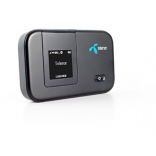
Order the Unlock Code of your Huawei E5372T

Important: Select the Network your Huawei E5372T is originally from. Do NOT select the network you want to use.

When I order an Unlock Code for my Huawei E5372T, what will I receive?

We provide you with the Unlock Code to permanently unlock your Huawei E5372T.


In case your Huawei E5372T requires multiple Unlock Codes, all Unlock Codes necessary to unlock your Huawei E5372T are automatically sent to you.


We also provide detailed instructions on How To Unlock your Huawei E5372T. In most cases the procedure is very easy:


Our Support Team is there to help with any questions you may have, please feel free to contact us anytime!

How to Unlock Huawei E5372T?

  1. Make sure your router charged.
  2. Change SIM card and turn ON router ( different network sim ).
  3. Now the device display invalid sim or any other sim not support messages , don't worry move next.
  4. Now establish the wifi and connect to computer or your phone /tab.
  5. Now just navigate to open browser > enter the your default IP address ( 192.168.1.1 OR 192.168.8.1 ).
  6. Now just login with username : admin ; password : admin
  7. Now it's the simple prompt box asking you enter unlock code with a small box.
  8. Now enter your unlock code and click Apply. If not prompting unlock code asking box > move to step 9.
  9. Just navigate after login > Go to Advanced SettingsSIM Settings - Unlock Device – Enter the unlock code and click on Apply.
  10. After entering correct unlock code , your router redirect to home page and displaying you new networks signal > 
  11. Congratulations! You successfully unlocked your Huawei E5372T and ready to use all over world all networks and just now you can create a new profile settings with APN address and surf internet!

Any suggestion? Want to help us improve our Guideline to unlock Huawei E5372T ? or those are not accurate ? Please contact us

UnlockBase is an incorporated company, we've been unlocking cell phones for
22 years now and strives to provide the best service for our clientele.


Cell Phone Unlocking protected by McAfee Secure Comodo SSL Certificate is certifying security for phone unlocking

All products, and company names, logos, and service marks (collectively the "Trademarks") displayed are registered® and/or unregistered trademarks™ of their respective owners. UnlockBase is not associated with or sponsored by Huawei. The authors of this web site are not sponsored by or affiliated with any of the third-party trade mark or third-party registered trade mark owners, and make no representations about them, their owners, their products or services.

Why Purchase From Us?

Best Phone Unlocking Choice
  • Permanent Factory Unlock
  • Full Permanent Unlock (All Levels)
  • 100% Money back guarantee
  • 24/7 Customer support team
  • Fastest turnaround of delivery
  • Simple instructions provided
  • Rated 4.9 out of 5 from 15388 reviews

Our Last 4 Certified Reviews

  • Mark on 02/02/2026
    This solution unlocked my very old iPhone XS Max which was locked to a Japan operator called Au (KDDI) with ease. No need to enter a special code or use an unlock app.
  • Haze Grey on 02/01/2026
    Pensé que me iban a estafar xD Pero me arriesgué, hice el pago a buen precio, los técnicos se aferraban a venderme una rsim interna a precio estúpidamente alto. Pero aquí fue por la mitad 123dlls para un iPhone 16e esim de tmobile. Me decía que iba a durar hasta 24hrs, pero en la madrugada mientras pisteaba me metí y ya estaba liberado o: , le tomó unas 8-10hrs.
    Si recomiendo. \m/
  • luis on 02/01/2026
    for me loocks like a very good program but what i want to no if you guys going to unloock my sim carrier
  • Milly on 01/31/2026
    Wonderful work keep up